
October, 2026 · Shell
Set up tools
Real-time writing collaboration tool: HedgeDoc.pro
Today’s team doc
- Open your team HedgeDoc in edit mode: https://hedgedoc.pro/s96S8xztRHm1GlU3rsuSAg?edit
- Keep this link open for the rest of the workshop.
Dev setup (1): Node.js
| File Name | Version | Note | Download Link |
|---|---|---|---|
| Node.js | v26.20 | Open-source, cross-platform JavaScript runtime — required | Mac — Apple silicon (ARM) and Intel (x64) |
| Windows – x64 | |||
| Windows – ARM64 |
Verify Node.js is installed: open a terminal
| Operating System | Operation |
|---|---|
| Windows built-in command line | Method 1: press Windows key + R, type cmd, press Enter Method 2: open Start, search for “Command Prompt”, open it |
| macOS built-in Terminal | Method 1: Spotlight search Terminal, press Enter Method 2: open Applications, find Terminal, open it |
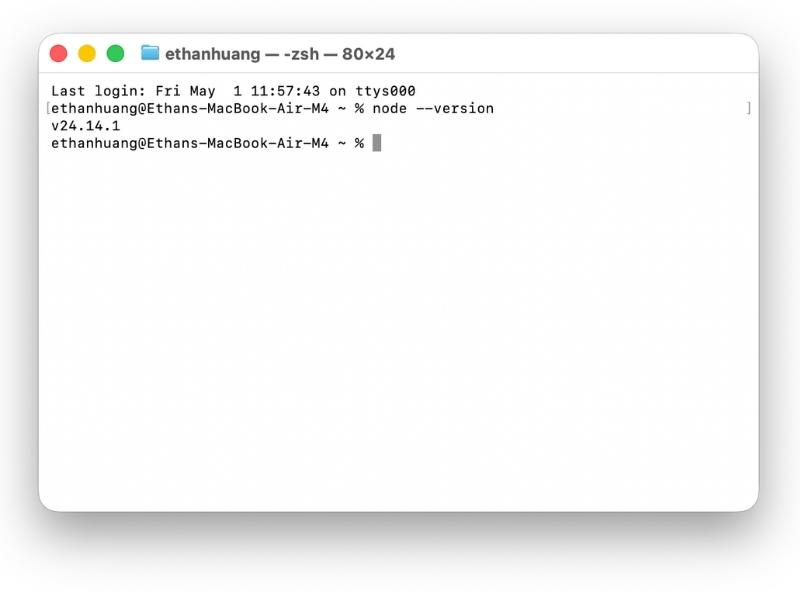
In the terminal, run the command below to verify Node.js (Mac Terminal example; Windows users use the same command in Command Prompt):
node --versionIf you see a version like v22.0.0, the install succeeded.
Dev setup (2): Git
Windows only
Mac users: skip this block — Git is often already available via Xcode Command Line Tools or can be installed later if needed.
- Step 1: On Windows, install Git manually. During setup you may be asked to restart your computer before Git is ready to use.
- Step 2: Open Command Prompt or Windows Terminal, then run:
winget install --id Git.Git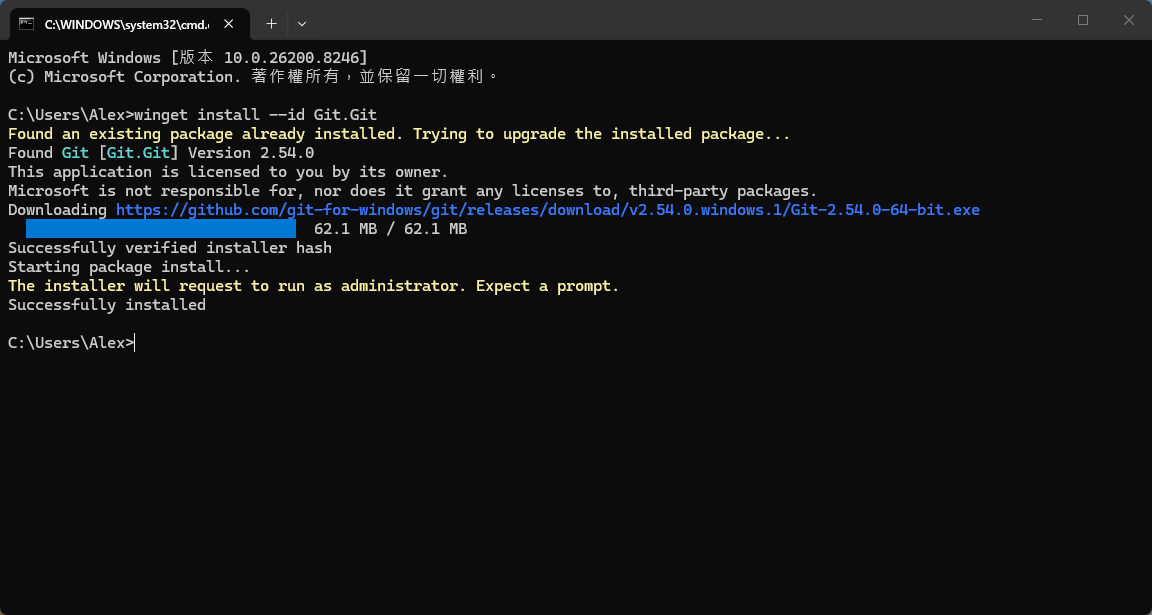
Dev setup (3): IDE
Pick any of the following agentic coding tools. No preference order.
| # | Tool | Notes | Link |
|---|---|---|---|
| 1 | Cursor | AI-native code editor (not available in mainland China) | Download |
| 2 | Codex | OpenAI’s agentic coding agent (not available in mainland China) | Download |
| 3 | CodeBuddy CN | Tencent’s AI coding IDE, available for China mainland. | Download |
Subscriptions
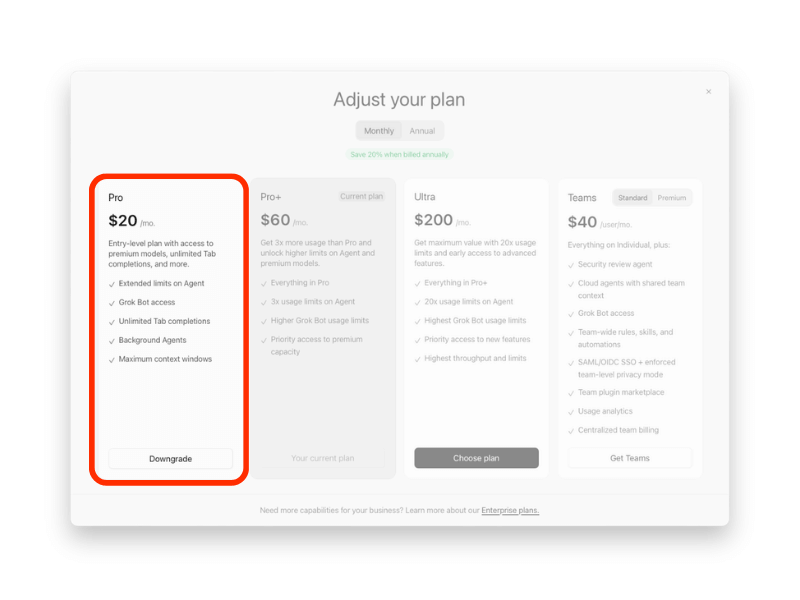
If you use Cursor, we strongly recommend upgrading to the $20 Pro plan. The free plan comes with tight restrictions and very few tokens. Click here for full details.
After the workshop, you can cancel the Pro subscription at any time.
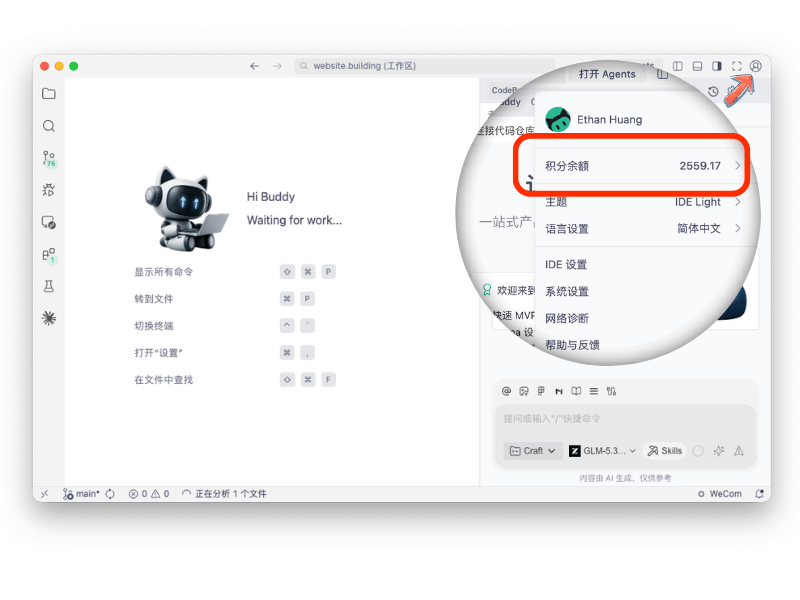
If you use CodeBuddy CN (available only in mainland China), sign up for a free account using your mainland Chinese WeChat account or mobile number. Once registered, you’ll receive 2,000 free tokens, enough to build two or three applications at the same scale as the class project.
Step 4: Install the SDD agents by Wooden Sword
Copy the command below, paste it into the terminal, then press Enter.
npx sdd-full-global@latest init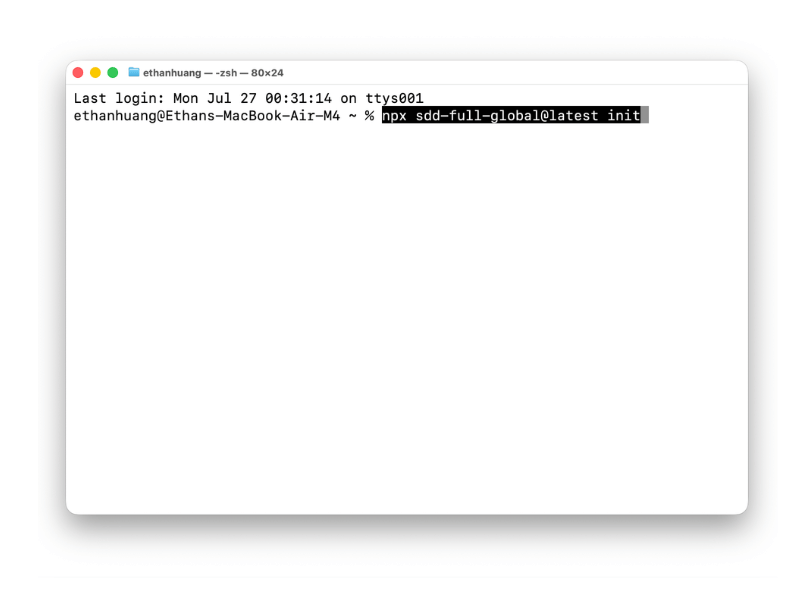
- When prompted “OK to proceed? (y)”, type y and press Enter.
Choose an IDE
- In the installer, use the ↑ ↓ keys to highlight your IDE (Claude Code, Codex, or Cursor), then press Space to select it
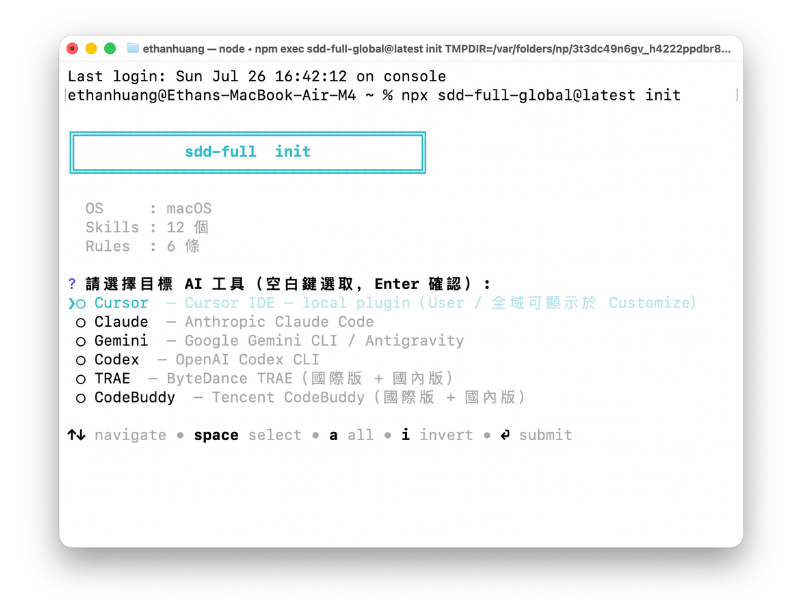
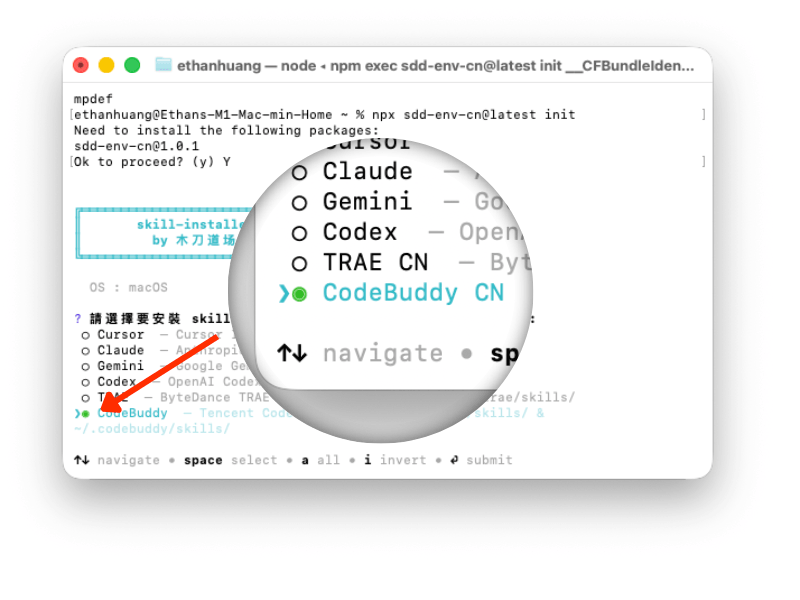
Wait a moment until installation finishes
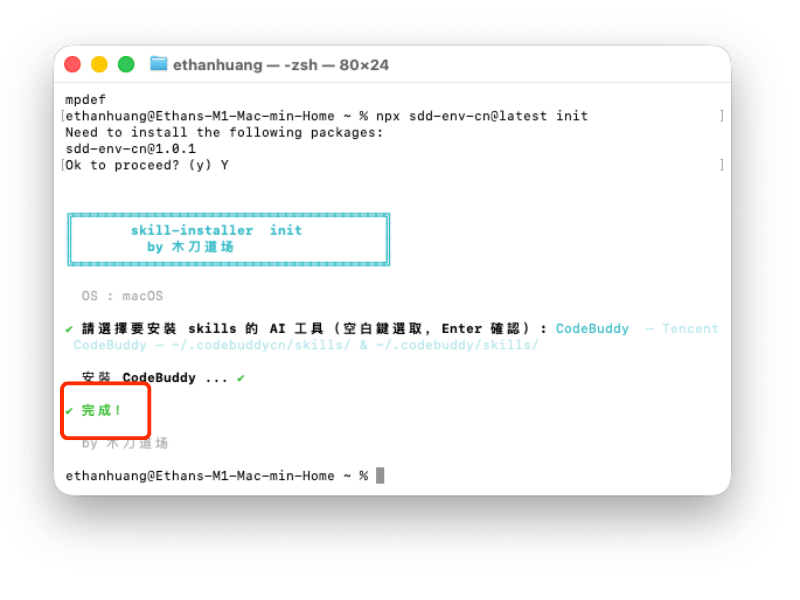
Reopen the IDE and confirm the skills are installed.
Your tooling is ready — you can start agentic programming.
PART I – AI Foundations
Learning objectives
- LO 1: Use Markdown to communicate clearly with AI tools.
- LO 2: Use the S.T.A.R. pattern to write effective prompts.
#1 Markdown quick reference for AI prompts
Markdown is a lightweight markup language. Simple symbols handle formatting so you can focus on what you want the model to do.
| Element | Markdown | Result |
|---|---|---|
| Heading | # Heading / ## Subheading |
Six levels (# through ######) |
| Bold | **bold** |
bold |
| Italic | *italic* |
italic |
| List | - item or 1. item |
Bullet or numbered list |
| Link | [text](URL) |
Hyperlink |
| Code | `code` or fenced ``` blocks |
Inline or block code |
| Blockquote | > quoted text |
Indented quote |
| Divider | --- |
Horizontal rule |
| Table | | Col | Col | + header row with --- |
Column layout |
#2 Try it yourself
This workshop page is built from Markdown inside WordPress. Open HedgeDoc.pro, create a document, and paste the sample below.
# AI communication
## Markdown quick reference
Markdown uses simple symbols for structure so you can focus on content.
| Element | Markdown | Result |
|---------|----------|--------|
| Heading | `# Title` / `## Section` | Heading levels 1-6 |
| Bold | `**bold**` | **bold** |
| List | `- item` | Bullet list |
| Code | `` `snippet` `` | Inline code |
What changed in the preview? Compare the raw Markdown with the rendered view.
#3 Tools and references
- Offline editor: Sublime Text
- Markdown cheat sheet (web) · Download .md
The S.T.A.R. pattern for effective prompts
Structure prompts as Situation, Task, Action (role), and Rules so the model gets context, intent, persona, and output constraints in one pass.
| Block | Ask yourself | Length | Avoid | Do instead |
|---|---|---|---|---|
| S – Situation | Who is involved? What context matters? Why use AI now? | ~100 words | Pasting a full CV or unrelated bio | • Background only – no task steps here • Facts that change the answer • Placeholders like {paste brief here} for reuse |
| T – Task | What should the model produce? | ~120 words | “Help me with X” with no deliverable | • One clear outcome per bullet • Lead with verbs • Add measurable requirements when useful |
| A – Action / Role | Who should the model act as? Which skills apply? | ~200 words | “You are an expert” with no domain detail | • Role matched to the task • Name the knowledge the role must use |
| R – Rules | What format, tone, and boundaries apply? | ~120 words | No output spec → long, unfocused replies | • Examples of good output • Hard limits (“max 3 bullets”, “plain text only”) • When to wait for user input |
Try this prompt
# S - Situation
- My native language is Chinese.
- My second language is English.
- I need an assistant that translates between Chinese and English.
# T - Task
- Wait for my input.
- Detect which language I wrote in.
- Translate into the other language.
- Output only the translation, not the source text.
# A - Role
- You are a native-level expert in Simplified Chinese and English.
- You are a professional translator who produces natural, accurate, context-appropriate translations.
# R - Rules
- Do not answer any questions until I provide text to translate.
- For each input, detect the source language first.
- Translate into the other language.
- Use these style tags. When translating, read the syntax //style-name// and adjust tone accordingly:
//email// - treat the content as an email
//formal// - make the tone more formal
//casual// - make the tone more casual
//chat// - treat the content as a chat message with conversational tone
//concise// - shorten the content while keeping the meaning
- Style tags can be combined, e.g. //email, formal//
- Prefix output as follows:
[CN:] Simplified Chinese
[EN:] English
- Output only the translation.
- Do not add explanations, notes, or extra text.
- Output plain text only.
- Example: if I input "你叫什么名字?", output:
[EN:] What is your name?
S.T.A.R. exercise
You are an Agile coach at ABC Company. HR wants a 10-video "Agile & Scrum 101" series. Video will be generated by AI from text scripts you provide.
Write a S.T.A.R. prompt to ask AI for the episode plan and scripts. Run it in chat or an agent. Save your prompt and results in HedgeDoc.
PART II – Agentic Programming with Spec-Driven Development experience
Initialize the project and unlock these capabilities
If you are outside mainland China:
| Capability | Description |
|---|---|
| ChatGpt | Conversational AI for natural-language planning, summaries, and assistant replies in the myday app. |
| Google Maps | Geocoding, place search, and map data for addresses, nearby points of interest, and routes. |
| Open-Meteo | General weather forecasts (temperature, conditions, humidity, wind); no API key required. |
| Pandorium | Zodiac and natal-chart insights—planetary positions and transits via MCP. |
| Tripadvisor | Nearby restaurants and venues—place details, hours, and review enrichment (Tripadvisor Terra API). |
If you are in mainland China:
| Capability | Description |
|---|---|
| qwen (千问) | Conversational AI for natural-language planning, summaries, and assistant replies in the myday app. |
| Amap (高德地图) | Geocoding, place search, place details, and map data for addresses, nearby points of interest, and routes, for China only. |
| Open-Meteo | General weather forecasts (temperature, conditions, humidity, wind); no API key required. |
| Pandorium | Zodiac and natal-chart insights—planetary positions and transits via MCP. |
Step 1: Create an empty project folder
- Mac example:
~/sdd/what2eat - Windows example:
c:/sdd/what2eat
Step 2: Open this folder in your IDE
- Open Cursor Codex, or CodeBuddy
- Open the project folder (File → Open Folder / equivalent)
- Select the ./what2eat folder you just created

Step 3: get the initial product specs from git repository.
If you are outside mainland China:
Pull the latest files from: https://github.com/ethanhuangcst/sdd.sample.what2eat.gitIf you are in mainland China:
Pull the latest files from: https://gitee.com/woodsw0rd/sdd.sample.what2eat.git